
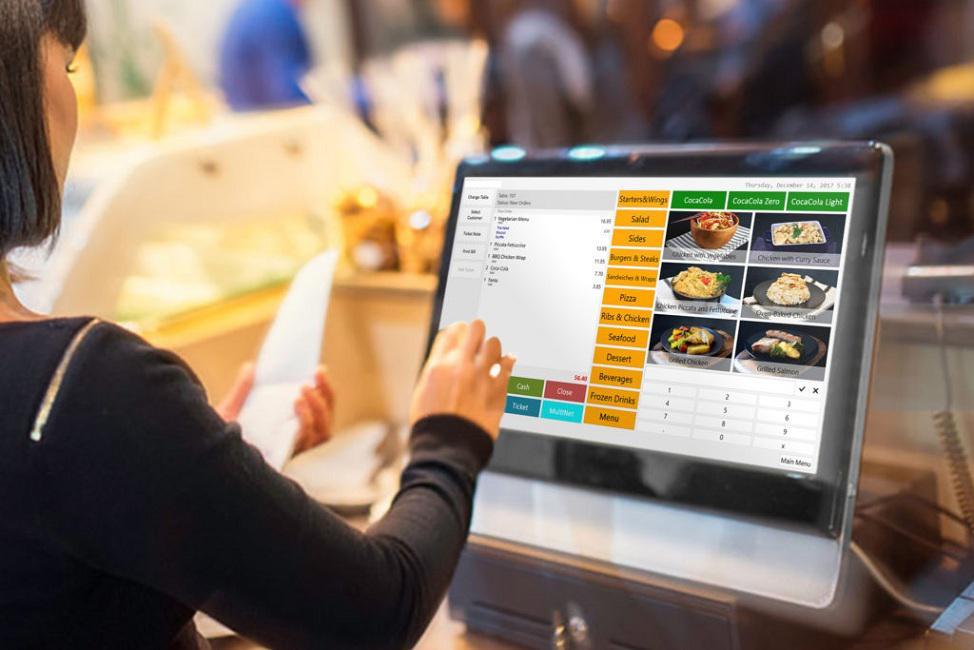
Small businesses in India need simple tools to handle sales. A cloud-based office POS software runs online. It works on phones, tablets, or computers. No big setup needed. You get real-time sales data, inventory tracking, and easy payments from anywhere. In 2026, these tools help small shops, office canteens, or home offices save time and money. This guide lists the best ones for Indian small businesses. We base it on user reviews, features, pricing, and what works in India.
We review POS tools every year. We talk to small business owners and test software. Our picks come from real use in India – GST rules, UPI payments, and local support matter. You can trust this advice for smart choices.
Why Cloud-Based POS Software Is Great for Small Businesses
Cloud POS means your data stays online. Access it from any device with internet. Updates happen automatically. No need to buy expensive servers.
Key benefits:
- Fast sales with UPI, cards, or cash.
- Track stock so you never run out.
- Make GST bills easily.
- See sales reports on your phone.
- Work offline if internet drops (syncs later).
- Add staff with different permissions.
- Grow without changing systems.
For small offices or shops in India, it cuts errors and saves hours.
Office POS Software helps manage daily sales smoothly.
School Lunch POS Software shares similar features for meal tracking.
Key Features to Look for in Cloud POS Software
Pick software with these:
- UPI and digital wallet support (PhonePe, GPay).
- GST-compliant billing.
- Inventory alerts.
- Employee tracking.
- Mobile app for on-the-go use.
- Offline mode.
- Low or no monthly fees for starters.
- Easy setup – no IT expert needed.
- Good customer support in Hindi or English.
These make running a small business easier.
Top 10 Best Cloud-Based Office POS Software for Small Businesses in India 2026
We chose these based on ease, cost, reviews from Indian users, and features. All work well for small shops, office stores, or canteens.
- Canteen POS - Top pick for small offices. Use any tablet or phone – no hardware buy. Features: Pre-orders, cashless UPI/payroll, QR menus, inventory, reports, offline mode. Pros: Ready in minutes, free employee app, cuts waste. Cons: Best for canteen-style sales. Great for small teams.
- myBillBook - Simple billing app. Cloud sync, GST invoices, stock tracking. Pros: Free basic plan, easy for shops. Cons: Less advanced for big teams.
- Vyapar - Popular in India. Billing, inventory, payments, reports. Pros: Offline work, UPI support, low cost. Cons: App-focused.
- Loyverse POS - Free cloud POS. Sales, inventory, loyalty. Pros: No fees for basics, works on phone. Cons: Add-ons cost extra.
- Square POS - Free software. Card payments, reports. Pros: Easy start, mobile. Cons: Fees per transaction.
- Petpooja - Strong for small food spots. Billing, menu, inventory. Pros: India-focused, good support. Cons: More for restaurants.
- PosBytz - Cloud billing with reports. Pros: GST ready, affordable. Cons: Setup time.
- Lightspeed POS - Advanced cloud. Inventory, multi-store. Pros: Strong analytics. Cons: Higher price.
- Shopify POS - Links online and in-person sales. Pros: Great for growing shops. Cons: Best if you sell online too.
- ePaisa - Mobile POS for small businesses. Pros: Simple payments. Cons: Limited features.
These stand out for small Indian businesses in 2026.
How to Choose and Set Up Cloud POS Software
- Know your needs – sales type, team size, budget.
- Check UPI and GST support.
- Try free trials or demos.
- See if it works offline.
- Read reviews from Indian users.
- Set up in a day – add items, train staff.
Common Mistakes to Avoid
- Pick free but slow software – hurts busy times.
- Ignore mobile access – miss sales on the go.
- Skip training – staff make errors.
- Forget backups – lose data if issues.
Conclusion
The best cloud-based office POS software makes small businesses in India run smooth. It handles sales, stock, and reports with ease. Start with simple ones like our top pick.
For easy setup and great features, check Canteen POS.
FAQ
What is cloud-based POS software? It is sales software that runs online. You access it from any device.
Is it safe for small businesses? Yes, good ones use encryption and backups.
How much does it cost? Many start free or ₹500–₹2000/month. Some charge per transaction.
Does it work without internet? Many have offline mode that syncs later.
Can it handle UPI payments? Yes, top ones support GPay, PhonePe, and cards.
Is GST billing easy? Yes, most create GST invoices automatically.
How fast is setup? Most ready in hours – no big hardware.
Can employees use it? Yes, with login roles for staff.
What if I have multiple locations? Some support multi-site with one dashboard.
Where can I get support in India? Good providers offer chat, phone, and Hindi help.